


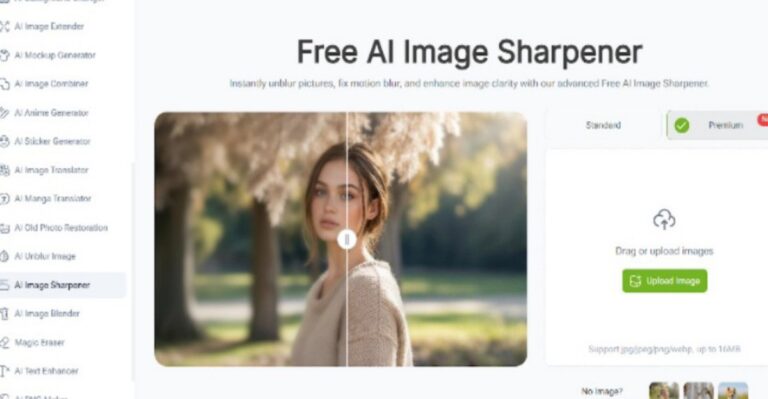
VisualGPT AI Image Sharpener and ImageEditor together enable a scalable, AI-driven image enhancement workflow designed for teams and platforms that process large volumes of visual assets.
(VisualGPT AI Image Sharpener for Scalable Image Workflows)
Why Batch Image Enhancement Has Become a Core Requirement
Modern content production no longer revolves around individual images. Digital platforms, publishers, educators, and marketing teams routinely handle hundreds or thousands of images that must meet consistent quality standards. In such environments, image sharpness is not an aesthetic preference but a baseline requirement.
Low clarity, compression blur, and inconsistent detail levels become increasingly visible when images are displayed side by side. Manual enhancement workflows are rarely capable of maintaining consistency at scale, leading to uneven results and significant time costs.
VisualGPT AI Image Sharpener addresses this challenge by providing AI-based sharpening that is designed to scale across large image sets.
VisualGPT AI Image Sharpener as a Batch Processing Engine
VisualGPT AI Image Sharpener is built around the concept of uniform clarity restoration. Instead of relying on subjective adjustments, the tool applies a consistent AI model to analyze edges, textures, and fine structures across images.
This approach ensures that sharpening results remain stable across batches, regardless of variations in source quality. Images processed together retain a coherent visual style, which is essential for brand consistency, editorial credibility, and professional presentation.
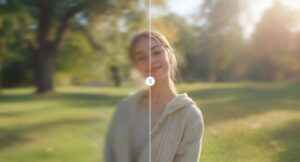 (VisualGPT AI Image Sharpener as a Batch Processing Engine)
Consistency Over Manual Precision
In batch workflows, absolute perfection on a single image is less valuable than consistent quality across all assets. VisualGPT AI Image Sharpener prioritizes structural clarity and visual balance, avoiding aggressive sharpening that could introduce noise or artifacts.
Edges remain clean, textures stay natural, and contrast transitions are preserved. This consistency allows images to be used interchangeably within collections, galleries, or publications without drawing attention to processing differences.
Supporting High-Volume Content Operations
VisualGPT AI Image Sharpener is particularly effective for organizations that rely on high-volume image production, including:
- Content platforms managing contributor-submitted images
- Marketing teams updating large visual libraries
- Educational services preparing visual materials at scale
- Media publishers maintaining extensive image archives
In each case, the AI-driven sharpening process replaces repetitive manual adjustments with a predictable, repeatable enhancement workflow.
Reducing Operational Overhead with AI Automation
Manual sharpening introduces operational bottlenecks. Editors must evaluate each image individually, adjust parameters, and review results repeatedly. VisualGPT AI Image Sharpener removes this friction by automating clarity enhancement through AI analysis.
This automation reduces processing time while maintaining quality standards, enabling teams to focus on content strategy, review, and distribution rather than technical correction.
Image Quality Control in Scalable Pipelines
Quality control becomes more complex as image volume increases. VisualGPT AI Image Sharpener simplifies this process by ensuring that all enhanced images meet a minimum clarity threshold. The AI model applies consistent logic across all assets, reducing the need for per-image inspection.
This is especially valuable when images are reused across different formats or platforms, where inconsistencies are more noticeable.
From Batch Enhancement to Output Preparation
After images have been sharpened using VisualGPT AI Image Sharpener, they often require additional processing before distribution. Batch enhancement restores clarity, but does not address technical delivery requirements such as watermark removal, resolution standardization, or platform-specific formatting.
This transition point is where ImageEditor naturally integrates into the workflow.
ImageEditor as an AI-Based Finalization Layer

(ImageEditor as an AI-Based Finalization Layer)
ImageEditor serves as an AI-driven optimization layer that prepares sharpened images for real-world deployment. After batch enhancement with VisualGPT AI Image Sharpener, ImageEditor can be used to:
Remove Residual Watermarks:
Powered by advanced pattern-recognition AI, ImageEditor can accurately detect and eliminate stubborn residual watermarks, logos, or digital artifacts that often persist even after the sharpening process. Unlike manual erasure tools that risk leaving patchy, distorted areas or disrupting surrounding textures, this intelligent feature analyzes the pixel data of the sharpened image—matching the tone, texture, and color of the surrounding regions—to fill in the removed mark naturally. The result is a clean, unblemished visual that retains every detail restored by VisualGPT, without compromising the image’s integrity or professional finish.
Standardize Resolution and Aspect Ratios
Powered by advanced pattern-recognition AI, ImageEditor can accurately detect and eliminate stubborn residual watermarks, logos, or digital artifacts that often persist even after the sharpening process. Unlike manual erasure tools that risk leaving patchy, distorted areas or disrupting surrounding textures, this intelligent feature analyzes the pixel data of the sharpened image—matching the tone, texture, and color of the surrounding regions—to fill in the removed mark naturally. The result is a clean, unblemished visual that retains every detail restored by VisualGPT, without compromising the image’s integrity or professional finish.
Enhance Overall Visual Presentation
ImageEditor applies subtle, AI-powered adjustments to color correction, contrast balancing, and brightness levels—all while safeguarding the fine details and sharp edges restored by VisualGPT. Its intelligent algorithms analyze the image’s tonal range, identifying areas that need refinement: correcting muted color palettes in landscape shots, balancing overexposed highlights in portraits, or boosting flat contrast in product imagery. Unlike generic filters that can wash out sharpened details or create an artificial look, this tool makes targeted, context-aware tweaks that enhance visual appeal without over-processing.
Long-Term Benefits for Asset Management
Batch-enhanced images retain long-term value. Once clarity is restored and images are properly optimized, they can be reused across campaigns, platforms, and formats without additional processing. VisualGPT AI Image Sharpener supports this strategy by producing durable enhancement results.
When combined with ImageEditor, teams gain a pipeline that supports ongoing reuse and adaptation.
Strategic Advantages of a Scalable AI Workflow
The combined use of VisualGPT AI Image Sharpener and ImageEditor provides:
- Predictable image quality at scale
- Reduced manual intervention
- Faster processing times
- Simplified toolchains
These advantages are critical for organizations operating under tight production schedules or managing large content libraries.
Conclusion
VisualGPT AI Image Sharpener (https://visualgpt.io/ai-image-sharpener) functions as a scalable AI engine for batch image enhancement, delivering consistent clarity across large image volumes. When paired with ImageEditor (https://imageeditor.online/) for AI-driven optimization and output preparation, it forms a complete workflow that supports modern, high-volume image production. This combination allows teams to maintain professional visual standards while significantly reducing operational complexity.
